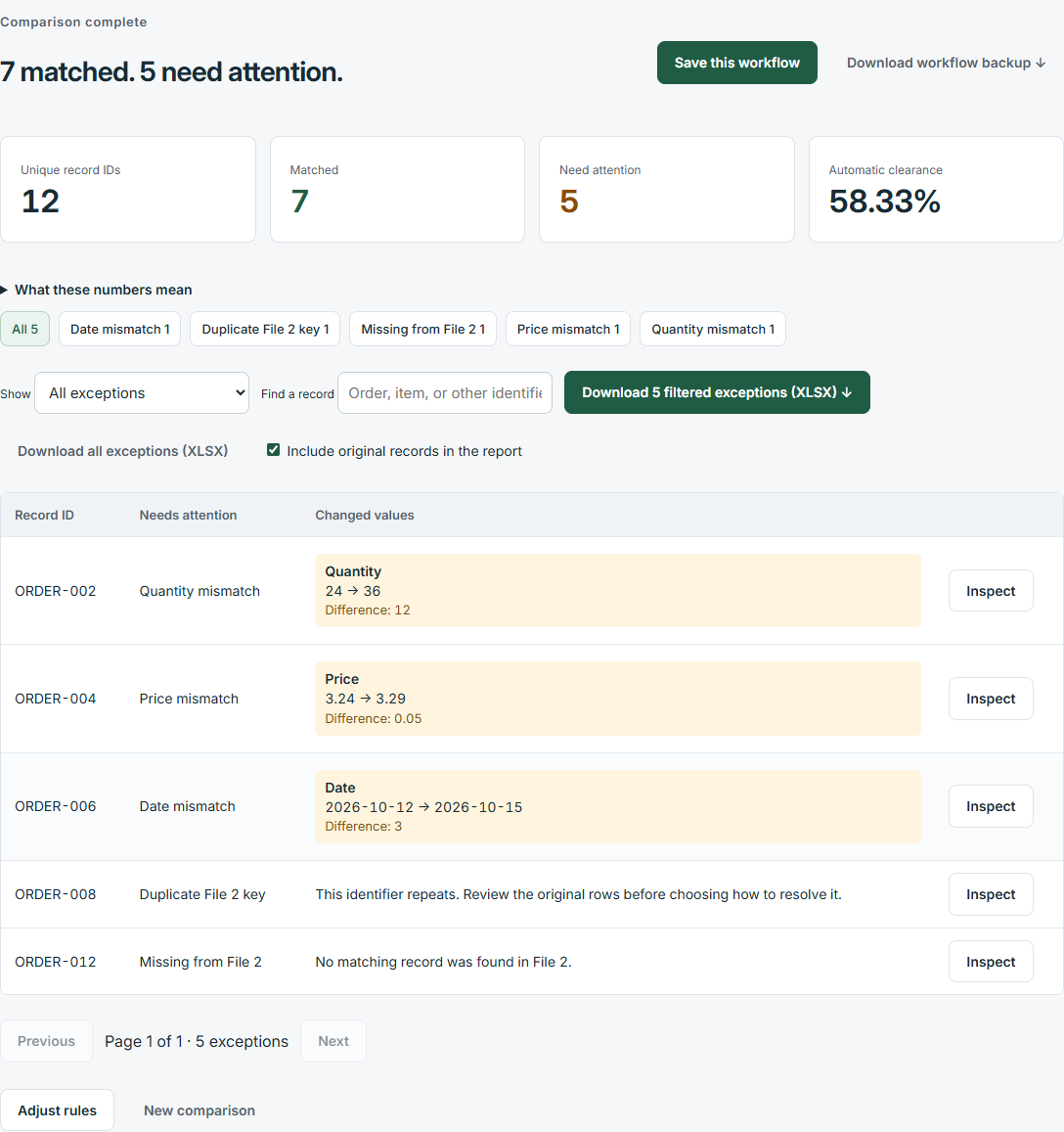
When two systems export CSV files, a different row order or column name can make manual checking slow. DataParity lets you connect equivalent fields, identify matching records and isolate exceptions.
Example: an order export against a fulfillment export
File 1 might use Order_ID and SKU while File 2 uses OrderNumber and ProductCode. Connect those pairs as the combined record identifier. Then compare Quantity and ShipDate. A missing order line becomes a missing-record exception; a changed quantity or date becomes a value difference. Repeated identifiers are flagged rather than silently paired.
Check import settings before comparing
Preview each file to confirm the separator, encoding, decimal convention and date interpretation. A semicolon-delimited file or a day/month date can otherwise be read incorrectly. DataParity supports comma, tab, semicolon and pipe separators, plus file settings for supported encodings and regional formats.
Choose rules that fit your records
Keep identifiers as text when leading zeros matter. Review the default cleanup rules before running. Numeric tolerances are absolute amounts, not percentages: an allowed difference of 0.01 permits a difference of one cent when your values represent currency. Date tolerances use calendar days.
Review a short exception list
Filter or search the results, inspect the original values side by side, and download the filtered exceptions as an Excel report. Save the mapping and rules to your account to reuse them with newly selected files; source rows are not part of a saved setup.
DataParity interface shown with illustrative example data.
Try it with your own files
Start a 10-day trial with no payment card. After the trial, choose $19 USD/month or $190 USD/year per person to continue. The trial does not charge automatically.